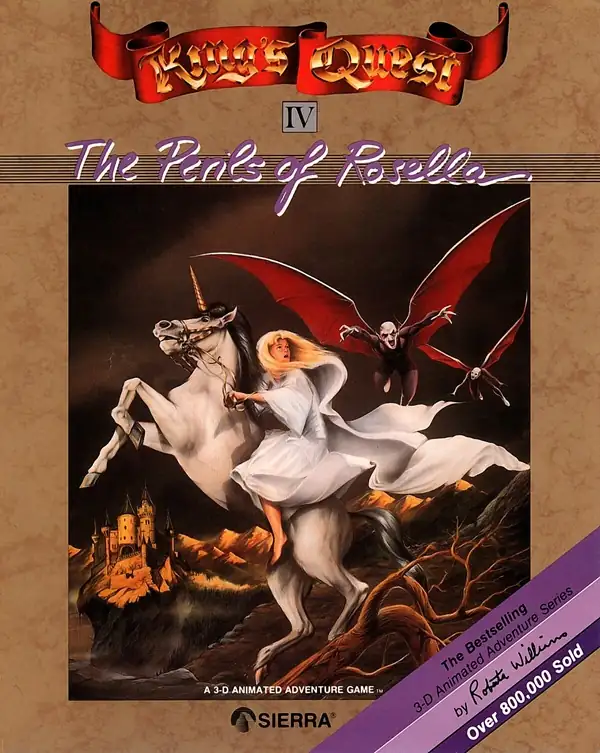
国王密使IV:罗塞拉的冒险
You are using the Safari browser. Only Safari on the latest macOS 27 Golden Gate or iOS 27 is supported for proper functionality.
You are using the Firefox browser. Only the latest version of Firefox is supported.
Please enter 'about:config' in the Firefox browser, then search for 'javascript.options.wasm_js_promise_integration', set its value to true, and refresh this page to achieve optimal performance.
Please install and use the latest version of Chrome or Edge for the best experience.
Your browser storage quota is low and you may not be able to load the game correctly.
Usage: Available:
Usage: Available:
To help us improve, please disable your ad blocker for our site. The game will start in seconds.
Become a Gold Member to enjoy an ad-free experience, unlock cloud saving, and help us improve.
Some animated ads may impact game performance. If the game becomes choppy, please close the ads.
Loading...
🛈
国王密使IV:罗塞拉的冒险 (1988)
King's Quest IV: The Perils of Rosella
Sierra On-Line



《国王密使IV:罗塞拉的冒险》是 Sierra On‑Line 的经典冒险游戏系列第 4 部,于 1988 年 9 月 27 日在 IBM PC (MS‑DOS) 上发行。本作首次使用 SCI 引擎,支持 EGA 320×200 16 色画面、鼠标操作以及 Roland MT‑32 / AdLib 等高质量音源。
国王格雷厄姆突发重病命悬一线,唯一的救治方法是找到传说中的 生命之果。他的女儿 公主罗塞拉 在妖精杰内斯塔的魔法帮助下被传送到遥远的 塔米尔 王国。她必须在 24 小时游戏时间 内穿越森林、沼泽、古堡和墓地等危险地区,解开各种谜题并取得生命之果,否则父王将不治身亡。
Upload Save File
Uploading a save file will overwrite current progress and restart the game. Do you wish to continue?
Warning
Welcome
Save your progress in the game first. Next time, use the same device and browser, choose Continue game, then load your save in the game. On your first visit, the option is called Start fresh.
Cloud saves, then browser saves, are selected first. Choose Continue game to use your latest progress here. Loading a save returns to that saved point.
You can also keep a backup using the buttons above the game:
Save to the cloud and use it on another device after signing in (Gold members only).
Save in this browser. Next time, choose Browser from the save list to load it.
Download a save file. Next time, choose Upload to load it.
Backups only change when you save again. Wait for saving or downloading to finish before closing the page.
Clearing this site's data can remove your progress and browser saves. Keep important saves in the cloud or download a backup.
Cloud saves, then browser saves, are selected first. Choose Continue game to use your latest progress here. Loading a save returns to that saved point.
You can also keep a backup using the buttons above the game:
Backups only change when you save again. Wait for saving or downloading to finish before closing the page.
Clearing this site's data can remove your progress and browser saves. Keep important saves in the cloud or download a backup.
Don't show this again.
Important update notice
To improve loading speed and the gaming experience, we have made a major architectural update. The files required by the game will be downloaded again. Please wait patiently.