
三国志VI增强版 日语CD版
您正在使用Safari浏览器,只有最新的macOS 27 Golden Gate或iOS 27中的Safari才能正常运行。
您正在使用Firefox浏览器。仅最新版本Firefox能被支持。
请在火狐浏览器中输入about:config,并且搜索javascript.options.wasm_js_promise_integration,将值改为true,再刷新这个页面获得最佳性能。
请在火狐浏览器中输入about:config,并且搜索javascript.options.wasm_js_promise_integration,将值改为true,再刷新这个页面获得最佳性能。
请安装并使用最新版本的Chrome或Edge以获得最佳体验。
浏览器剩余存储空间不足,可能无法正常加载游戏。
已用空间: 可用空间:
已用空间: 可用空间:
为了帮助我们改进,请对我们网站禁用广告拦截器。游戏将在 秒后开始。

- 实时流量: ↓ — ↑ —
- 累计流量: ↓ — ↑ —
- 网络状态: 等待连接
加载中...
🛈Windows 游戏需要最新的台式机及手机 CPU 才能获得最佳效果。请参阅帮助页面了解更多详细信息。
三国志VI增强版 日语CD版 (1998)
Romance of the Three Kingdoms VI: Awakening of the Dragon (Japanese)
KOEI


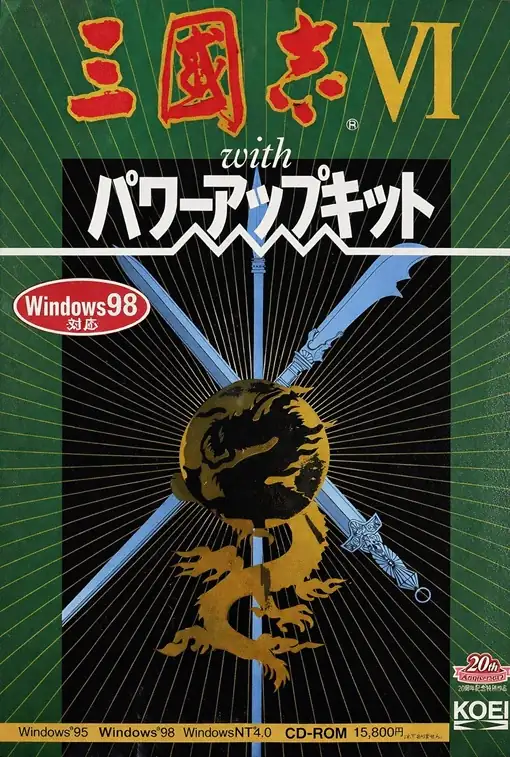
《三国志VI》是光荣《三国志》系列中非常特别的一作,它不仅是系列第六代,也是整个正传系列第一次以 Windows 作为首发平台,因此在界面风格、操作逻辑和整体表现上,都带有明显的“进入新电脑时代”的气息。游戏仍然以东汉末年至三国时代的群雄争霸为背景,玩家扮演君主,通过内政治理、武将任命、外交斡旋、军事征战来逐步统一天下。不过与前几代相比,本作最鲜明的特色,是把 “天时、地利、人和” 这三个概念真正做成了核心系统:历史事件的戏剧性推进构成了“天时”,城市位置、农业、商业与地理条件构成了“地利”,而武将各自的主张、理想与志向则构成了“人和”,使君臣关系和用人判断比过去更有层次。战斗方面,本作还引入了极具代表性的 “同时指令” 机制,也就是双方先各自布置行动,再同时执行,让战争不只是拼数值,更强调预判、调度和临场推演。也正因为这些设计,《三国志VI》常被视为系列从早期传统风格迈向更成熟、更戏剧化表达的重要转折点。
网络连线
正在加载服务器……
当前游戏房间
正在加载房间…
暂无房间,可以创建新房间。
正在准备网络连接…
加载存档
加载存档会重新启动游戏并丢失当前进度,是否加载本地存档?
警告
欢迎
请先在游戏里保存进度。下次用同一设备和浏览器打开游戏,选择“继续游戏”,再在游戏里读档即可。首次游玩会显示“全新开始”。
默认会优先选择云存档,其次是浏览器存档。想继续上次在这里的进度,请选“继续游戏”;加载存档会回到那次保存的进度。
也可以通过游戏画面上方的按钮备份存档:
 保存到云端,换设备后登录账号也能使用(仅限金会员)。
 保存到浏览器,下次在存档列表中选择“浏览器”读取。
 下载存档文件,下次选择“上传”读取。
这些备份需要再次保存才会更新。请等保存或下载完成后再关闭页面。
清理本站数据可能会丢失这里的进度和浏览器存档,重要存档建议保存到云端或下载备份。
退出游戏后等关机完成后,再备份存档关闭页面。
默认会优先选择云存档,其次是浏览器存档。想继续上次在这里的进度,请选“继续游戏”;加载存档会回到那次保存的进度。
也可以通过游戏画面上方的按钮备份存档:
保存到云端,换设备后登录账号也能使用(仅限金会员)。 保存到浏览器,下次在存档列表中选择“浏览器”读取。 下载存档文件,下次选择“上传”读取。这些备份需要再次保存才会更新。请等保存或下载完成后再关闭页面。
清理本站数据可能会丢失这里的进度和浏览器存档,重要存档建议保存到云端或下载备份。
退出游戏后等关机完成后,再备份存档关闭页面。
不再显示此消息。
重要更新提示
为了更好的加载速度和游戏体验,我们进行了一次较大的架构改进,因此会重新下载游戏所需要的文件,请耐心等待。