
大航海时代III:太阳海岸 繁体中文CD版
您正在使用Safari浏览器,只有最新的macOS 27 Golden Gate或iOS 27中的Safari才能正常运行。
您正在使用Firefox浏览器。仅最新版本Firefox能被支持。
请在火狐浏览器中输入about:config,并且搜索javascript.options.wasm_js_promise_integration,将值改为true,再刷新这个页面获得最佳性能。
请在火狐浏览器中输入about:config,并且搜索javascript.options.wasm_js_promise_integration,将值改为true,再刷新这个页面获得最佳性能。
请安装并使用最新版本的Chrome或Edge以获得最佳体验。
浏览器剩余存储空间不足,可能无法正常加载游戏。
已用空间: 可用空间:
已用空间: 可用空间:
为了帮助我们改进,请对我们网站禁用广告拦截器。游戏将在 秒后开始。

- 实时流量: ↓ — ↑ —
- 累计流量: ↓ — ↑ —
- 网络状态: 等待连接
加载中...
🛈Windows 游戏需要最新的台式机及手机 CPU 才能获得最佳效果。请参阅帮助页面了解更多详细信息。
大航海时代III:太阳海岸 繁体中文CD版 (1996)
Daikoukai Jidai III: Costa del Sol (Chinese)
KOEI


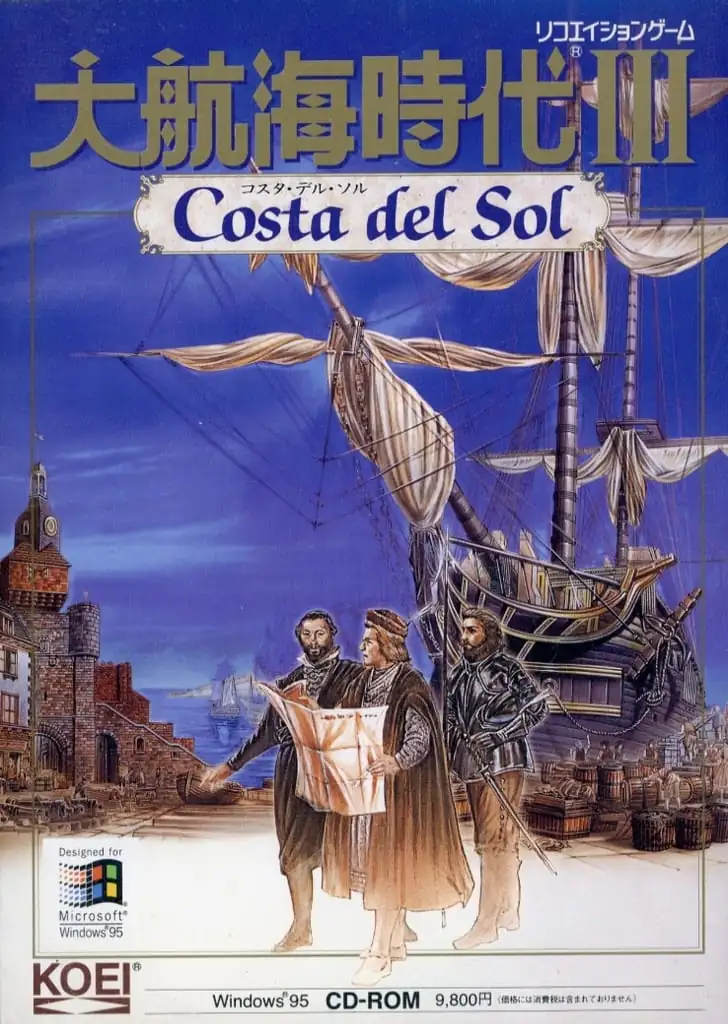
《大航海时代III 太阳海岸》是日本光荣公司出品的模拟类游戏大航海时代系列的第三部。大航海时代III是系列中最为贴近史实的一部,很多历史上的真实人物都在游戏中登场。
本作的背景设定于《大航海时代II》开始年代之前的1480年,也就是地理大发现的萌芽阶段。此时,西班牙的收复失地运动尚未完成,伊比利亚半岛南部的格拉纳达仍是伊斯兰的势力范围。随着时间的推移,游戏的进程也根据历史的发展向前推进,并在一定程度上受到玩家的影响。
此外,游戏中存在因政治原因造成的进港困难。玩家扮演的航海者在进入与基督教国家敌对的伊斯兰的城市以及实行海禁的明朝都市时都会遇到阻碍。1494年西班牙和葡萄牙签订《托德西利亚斯条约》之后,两国之中一国的玩家进入另一国的城市也会被阻拦。这些城市可以通过金钱交涉进入,或者冒着失败的风险秘密潜入,也可以通过武力进攻强行占领。
网络连线
正在加载服务器……
当前游戏房间
正在加载房间…
暂无房间,可以创建新房间。
正在准备网络连接…
加载存档
加载存档会重新启动游戏并丢失当前进度,是否加载本地存档?
警告
欢迎
请先在游戏里保存进度。下次用同一设备和浏览器打开游戏,选择“继续游戏”,再在游戏里读档即可。首次游玩会显示“全新开始”。
默认会优先选择云存档,其次是浏览器存档。想继续上次在这里的进度,请选“继续游戏”;加载存档会回到那次保存的进度。
也可以通过游戏画面上方的按钮备份存档:
 保存到云端,换设备后登录账号也能使用(仅限金会员)。
 保存到浏览器,下次在存档列表中选择“浏览器”读取。
 下载存档文件,下次选择“上传”读取。
这些备份需要再次保存才会更新。请等保存或下载完成后再关闭页面。
清理本站数据可能会丢失这里的进度和浏览器存档,重要存档建议保存到云端或下载备份。
退出游戏后等关机完成后,再备份存档关闭页面。
默认会优先选择云存档,其次是浏览器存档。想继续上次在这里的进度,请选“继续游戏”;加载存档会回到那次保存的进度。
也可以通过游戏画面上方的按钮备份存档:
保存到云端,换设备后登录账号也能使用(仅限金会员)。 保存到浏览器,下次在存档列表中选择“浏览器”读取。 下载存档文件,下次选择“上传”读取。这些备份需要再次保存才会更新。请等保存或下载完成后再关闭页面。
清理本站数据可能会丢失这里的进度和浏览器存档,重要存档建议保存到云端或下载备份。
退出游戏后等关机完成后,再备份存档关闭页面。
不再显示此消息。
重要更新提示
为了更好的加载速度和游戏体验,我们进行了一次较大的架构改进,因此会重新下载游戏所需要的文件,请耐心等待。