
星際大戰首部曲:威脅潛伏 CD版
您正在使用 Safari 瀏覽器,僅最新的 macOS 27 Golden Gate 或 iOS 27 中的 Safari 才能正常運作。
您正在使用 Firefox 瀏覽器,僅支援最新版 Firefox。
請在 Firefox 瀏覽器中輸入 about:config,然後搜尋 javascript.options.wasm_js_promise_integration,將其數值改為 true。完成後請重新整理此頁面,即可獲得最佳效能。
請在 Firefox 瀏覽器中輸入 about:config,然後搜尋 javascript.options.wasm_js_promise_integration,將其數值改為 true。完成後請重新整理此頁面,即可獲得最佳效能。
請安裝並使用最新版本的Chrome或Edge以獲得最佳體驗。
瀏覽器剩餘儲存空間不足,可能無法正常載入遊戲。
已用空間: 可用空間:
已用空間: 可用空間:
為了幫助我們改進,請對我們網站停用廣告攔截器。遊戲將在 秒後開始。

載入中...
🛈Windows 遊戲需要最新的桌上型及手機 CPU 才能獲得最佳效果。請參閱幫助頁面以了解更多詳細資訊。
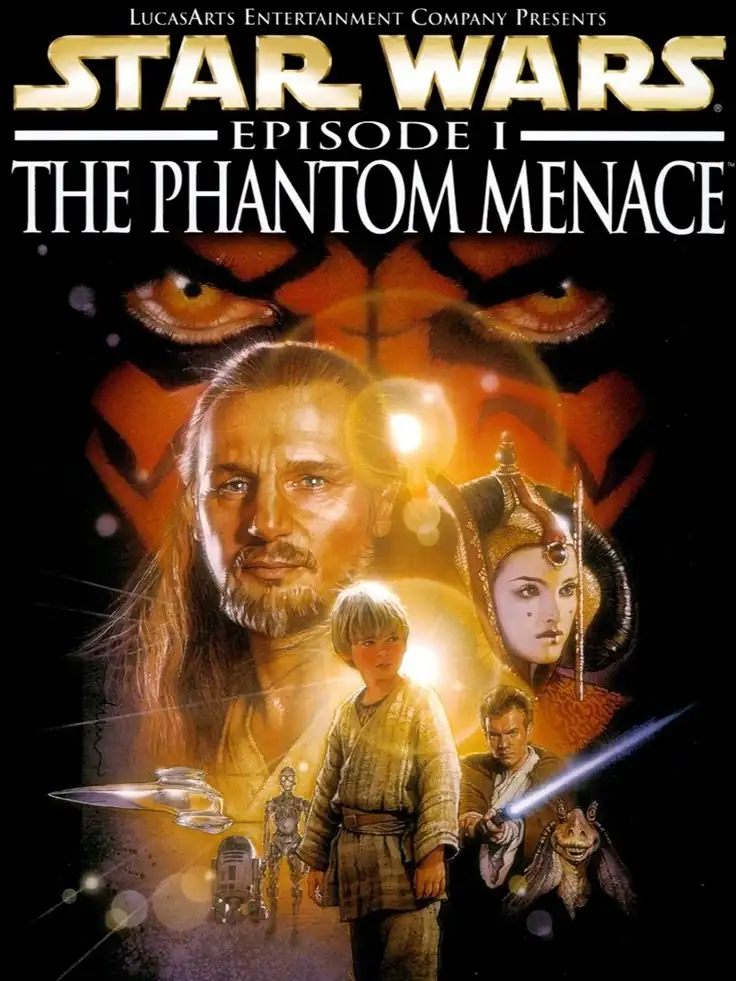
星際大戰首部曲:威脅潛伏 CD版 (1999)
Star Wars: Episode I – The Phantom Menace
Big Ape Productions


 效能警告:僅能勉強在最新的桌上型 CPU 上運行。
《星際大戰首部曲:威脅潛伏》是一款由 Big Ape Productions 開發、LucasArts 發行的 1999 年動作冒險電玩遊戲,適用於 Windows 和 PlayStation。改編自同名電影,玩家將扮演奎剛金、歐比王肯諾比和其他幾個角色,以幾乎相同的方式重述電影。每個可玩角色都有獨特的武器和能力。
網路連線
正在載入伺服器……
此遊戲的房間
正在載入房間…
目前沒有房間,可以建立新房間。
正在準備網路連線…
載入存档
載入儲存檔案會重新啟動遊戲並遺失當前進度,是否載入本地儲存檔案?
警告
歡迎
請先在遊戲裡儲存進度。下次用同一裝置和瀏覽器開啟遊戲,選擇「繼續遊戲」,再在遊戲裡讀取存檔即可。首次遊玩會顯示「全新開始」。
預設會優先選擇雲端存檔,其次是瀏覽器存檔。想繼續上次在這裡的進度,請選「繼續遊戲」;載入存檔會回到那次儲存的進度。
也可以透過遊戲畫面上方的按鈕備份存檔:
 儲存到雲端,換裝置後登入帳號也能使用(僅限金會員)。
 儲存到瀏覽器,下次在存檔清單中選擇「瀏覽器」讀取。
 下載存檔檔案,下次選擇「上傳」讀取。
這些備份需要再次儲存才會更新。請等儲存或下載完成後再關閉頁面。
清理本站資料可能會遺失這裡的進度和瀏覽器存檔,重要存檔建議儲存到雲端或下載備份。
結束遊戲後等關機完成後,再備份存檔關閉頁面。
預設會優先選擇雲端存檔,其次是瀏覽器存檔。想繼續上次在這裡的進度,請選「繼續遊戲」;載入存檔會回到那次儲存的進度。
也可以透過遊戲畫面上方的按鈕備份存檔:
儲存到雲端,換裝置後登入帳號也能使用(僅限金會員)。 儲存到瀏覽器,下次在存檔清單中選擇「瀏覽器」讀取。 下載存檔檔案,下次選擇「上傳」讀取。這些備份需要再次儲存才會更新。請等儲存或下載完成後再關閉頁面。
清理本站資料可能會遺失這裡的進度和瀏覽器存檔,重要存檔建議儲存到雲端或下載備份。
結束遊戲後等關機完成後,再備份存檔關閉頁面。
不再顯示此訊息。
重要更新提示
為了更好的載入速度和遊戲體驗,我們進行了一次較大的架構改進,因此會重新下載遊戲所需要的檔案,請耐心等待。