
Sorcerian Original (chinois)
You are using the Safari browser. Only Safari on the latest macOS 27 Golden Gate or iOS 27 is supported for proper functionality.
You are using the Firefox browser. Only the latest version of Firefox is supported.
Please enter 'about:config' in the Firefox browser, then search for 'javascript.options.wasm_js_promise_integration', set its value to true, and refresh this page to achieve optimal performance.
Please enter 'about:config' in the Firefox browser, then search for 'javascript.options.wasm_js_promise_integration', set its value to true, and refresh this page to achieve optimal performance.
Please install and use the latest version of Chrome or Edge for the best experience.
Your browser storage quota is low and you may not be able to load the game correctly.
Usage: Available:
Usage: Available:
To help us improve, please disable your ad blocker for our site. The game will start in seconds.
Become a Gold Member to enjoy an ad-free experience, unlock cloud saving, and help us improve.
Some animated ads may impact game performance. If the game becomes choppy, please close the ads.
Some animated ads may impact game performance. If the game becomes choppy, please close the ads.
Loading...
🛈Windows games require the latest desktop CPUs for an optimal experience. See the help page for more details.
Sorcerian Original (chinois) (2000)
Sorcerian Original (Chinese)
Falcom

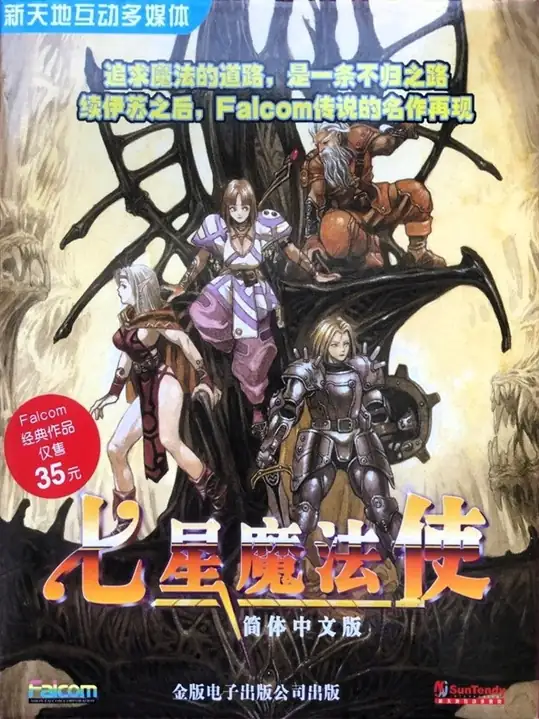
Sorcerian Original est un remake Windows publié par Nihon Falcom en 2000 (Japon). Il s'agit d'une refonte modernisée du Sorcerian original (1987), qui restaure et remastérise pour Windows le contenu classique d'action-RPG basé sur des scénarios (groupe allant jusqu'à quatre personnages, scénarios modulaires, progression des personnages, systèmes de magie et d'objets). Le coffret vise à reproduire les 15 scénarios classiques d'origine avec des graphismes, un son et une interface mis à jour.
Upload Save File
Uploading a save file will overwrite current progress and restart the game. Do you wish to continue?
Warning
Welcome
Save your progress in the game first. Next time, use the same device and browser, choose Continue game, then load your save in the game. On your first visit, the option is called Start fresh.
Cloud saves, then browser saves, are selected first. Choose Continue game to use your latest progress here. Loading a save returns to that saved point.
You can also keep a backup using the buttons above the game:
 Save to the cloud and use it on another device after signing in (Gold members only).
 Save in this browser. Next time, choose Browser from the save list to load it.
 Download a save file. Next time, choose Upload to load it.
Backups only change when you save again. Wait for saving or downloading to finish before closing the page.
Clearing this site's data can remove your progress and browser saves. Keep important saves in the cloud or download a backup.
After exiting the game, wait for shutdown to finish, then back up your save and close the page.
Cloud saves, then browser saves, are selected first. Choose Continue game to use your latest progress here. Loading a save returns to that saved point.
You can also keep a backup using the buttons above the game:
Save to the cloud and use it on another device after signing in (Gold members only). Save in this browser. Next time, choose Browser from the save list to load it. Download a save file. Next time, choose Upload to load it.Backups only change when you save again. Wait for saving or downloading to finish before closing the page.
Clearing this site's data can remove your progress and browser saves. Keep important saves in the cloud or download a backup.
After exiting the game, wait for shutdown to finish, then back up your save and close the page.
Don't show this again.
Important update notice
To improve loading speed and the gaming experience, we have made a major architectural update. The files required by the game will be downloaded again. Please wait patiently.